
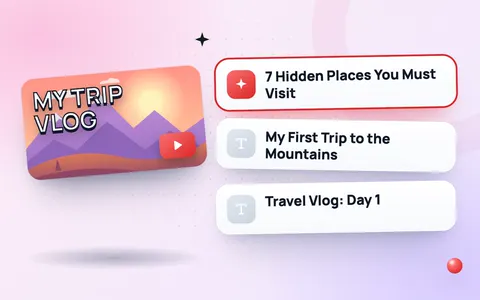
Titles that get the click
Your title and thumbnail decide whether someone watches your video. A great title is clear, promises a benefit and makes people curious, all in about 60 characters. This YouTube title generator gives you dozens of proven title formats filled with your own topic, so you can pick the best one or combine ideas.
How to use the title generator
- Type your video topic or main keyword, for example chicken biryani recipe.
- Choose a video type, or leave it on All types for a mix.
- Optionally add your audience (such as beginners) or a product to compare with.
- Click Generate titles and copy the ones you like.
What the colour badges mean
- Green (up to 60 characters) – shows in full in search results and suggested videos.
- Amber (61–70) – may be shortened on some screens.
- Red (over 70) – likely cut off. YouTube allows 100 characters, but shorter is safer.
YouTube title tips
- Put the keyword first. People and YouTube search both read the start of the title most.
- Promise a clear result: “in 10 minutes”, “for beginners”, “step by step”.
- Use numbers for list videos. “7 tips” is more specific than “some tips”.
- Match the thumbnail. Title and thumbnail should work together, not repeat the same words.
- Do not mislead. Clickbait that does not deliver hurts watch time and your channel.
Finish your video SEO
After your title, generate matching YouTube tags and description hashtags. Check how other videos design their thumbnails with the YouTube thumbnail downloader.
Title formulas by video type
| Video type | Formula | Example |
|---|---|---|
| How-to | How to + result + (speed or condition) | How to Compress a Photo to 50 KB (No App) |
| List | Number + topic + benefit | 7 Free Websites Every Student Should Use |
| Review | Product + honest verdict | Redmi Note 14 Review: Worth It in 2026? |
| Comparison | A vs B + who wins | JPG vs PNG: Which Should You Use? |
| Vlog / story | What happened + curiosity | I Tried Living on Rs 500 a Day |
Put the main keyword in the first few words, because long titles are cut off on phones. Check the length with the character counter and keep the main message in the first 60 characters. Making a Short instead? The Shorts title generator writes shorter, punchier titles, and the thumbnail resizer gets your thumbnail to 1280 × 720.
We tested it, then rebuilt it
On 12 November 2026 we generated titles for 5 topics, such as "iphone 15 review" and "how to make a cv". 88 of 100 titles had a problem: brand names spelled "Whatsapp" or "Iphone", review templates used for a how-to ("Don’t Buy Compress Video for Whatsapp"), and broken wording ("Iphone 15 Review Review"). We rebuilt the generator the same day.
| Check (5 topics) | Before | After |
|---|---|---|
| Titles with a problem | 88 of 100 | 0 of 345 |
| Brand names spelled wrong | 80 | 0 |
| Template that does not fit the topic | 39 | 0 |
| Under 60 characters | – | 97% |
What changed:
- The tool works out whether your topic is an action ("how to make a CV"), a product review ("iPhone 15 review"), a list ("PUBG mobile tips") or a thing ("biryani recipe"), and only uses templates that fit.
- More than 80 brand names and acronyms are spelled correctly: iPhone, WhatsApp, PUBG, CV, PDF, TikTok, Free Fire.
See the full test.
Frequently asked questions
How long should a YouTube title be?
YouTube allows 100 characters, but keep the main message in the first 60 so it is not cut off in search and suggestions.
Does the year in a title help?
For tutorials, reviews and “best of” videos, a year shows the content is up to date, which can improve clicks. Update it when you refresh the video.
Is the title generator free?
Yes. It is free with no sign-up and no limits.
Does it work for YouTube Shorts?
Yes. Choose the Shorts type for short, punchy title ideas.
Can I use these titles as they are?
Yes, but the best titles are specific. Add a detail from your video, such as a number or a result, to make it unique.
Should the keyword be at the start of a YouTube title?
Yes, if it reads naturally. Viewers scan the first few words, and phones cut long titles, so putting the main keyword early helps both search and clicks.
Can I change a YouTube title after uploading?
Yes. Open YouTube Studio, choose the video under Content and edit the title in Details. Many creators test a new title if a video gets few clicks.