
What is Amazon BSR?
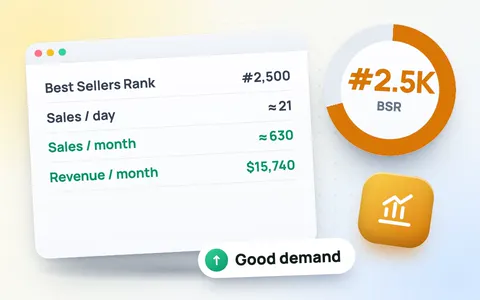
BSR (Best Sellers Rank) shows how well a product sells compared with everything else in the same category. Rank #1 is the best seller. Amazon updates it every hour or so from recent and past sales, so a lower number means more sales. You find it on the product page under Product information or Product details.
How to use the BSR calculator
- Fastest: drag the ⚡ ToolMaxo BSR button to your bookmarks bar once, then click it on any Amazon product page. Everything fills in by itself.
- Or open the product on Amazon, press Ctrl+A and Ctrl+C (on a phone: share the link or copy the page text) and paste it into the box. The tool reads the BSR, category, marketplace, price, rating and number of ratings for you. A link or ASIN alone gives you a quick “Open on Amazon” button.
- Check the main category and marketplace, then see the estimated daily and monthly sales and revenue.
- Tap Add to niche analysis, then paste the next competitor. With 5–10 top sellers you get the niche’s monthly revenue, average sales, average reviews and how much the top 3 sellers dominate.
- Use the reverse box to see which rank you need to reach a sales target.
How accurate is a BSR to sales estimate?
Amazon does not publish sales numbers, so every BSR calculator, free or paid, gives an estimate. This one uses a rank-to-sales curve on a logarithmic scale, adjusted for category and marketplace size, and shows a likely range. It is ideal for comparing products and judging a niche, not for exact accounting. BSR can also jump after a single sale for slow products, so check a product on a few different days.
How to judge a niche
- Demand: top products selling 300+ units a month each show strong demand; under 100 is weak.
- Competition: an average under 300 reviews is easier to enter; over 1,000 means established sellers.
- Concentration: if the top 3 take more than 70% of the sales, buyers mostly pick a few brands.
Once a niche looks good, check the margin with the Amazon FBA calculator and find the best keywords with the Amazon keyword tool. See all Amazon seller tools.
Frequently asked questions
Do I have to type the BSR myself?
No. Add the ToolMaxo BSR button to your bookmarks bar and click it on any Amazon product page: the BSR, category, price and ratings fill in automatically. You can also paste the page.
How many sales does a BSR of 1,000 mean?
In a big US category such as Home & Kitchen, a BSR around 1,000 usually means roughly 1,000 to 1,500 sales a month. Smaller categories and marketplaces sell fewer units at the same rank.
Why can’t the tool read the BSR from just the link?
Amazon blocks automated reading of its product pages, so a free tool cannot fetch them. Copying the page from your own browser takes two seconds and works every time.
Should I use the main category or sub-category rank?
Use the main category rank, the first BSR line on the product page. The tool reads that one automatically.
Is this BSR calculator exact?
No BSR calculator can be exact, because Amazon does not share sales data. This tool gives an estimate and a likely range, which is what you need to compare products and niches.
Is the Amazon BSR calculator free?
Yes, it is free with no sign-up, and works for Amazon US, UK, Germany, India, UAE, Saudi Arabia and more.