
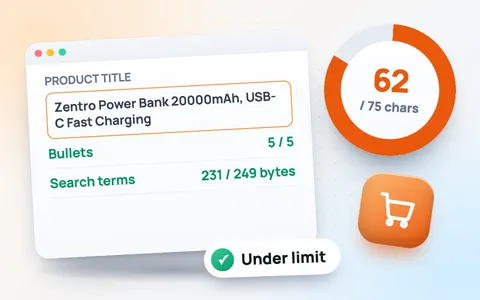
Amazon’s new 75-character title limit
From 27 July 2026, Amazon product titles can be at most 75 characters, including spaces, in every category except media (books, music, video and software, which keep 200). Titles that are too long are shortened by Amazon, so it is better to rewrite them yourself and keep control of the words buyers see. Amazon also added a new Item highlights field of up to 125 characters, shown under the title, for the details that no longer fit.
How to use the Amazon character counter
- Choose Most categories (75 characters) or Media (200 characters).
- Type your brand name, then paste your title. The counter turns orange near the limit and red when it is over.
- Fix every red line in the checklist: banned characters, words used more than twice and sales wording such as “best seller” or “free shipping”.
- Paste your bullet points, description and backend search terms to check their length too.
Amazon listing limits at a glance
| Field | Limit | Tip |
|---|---|---|
| Product title | 75 characters (media: 200) | Brand + product type + one key feature + size or colour |
| Item highlights | 125 characters | Extra features and keywords that left the title |
| Bullet points | 5 bullets, about 500 characters each | 150–250 characters read best on phones |
| Product description | 2,000 characters | Short paragraphs; A+ Content replaces it for brand owners |
| Backend search terms | Under 250 bytes | No commas, no repeats, no words already in the title |
Title rules that still apply
- No special characters like ! $ ? _ { } ^ ¬ ¦ unless they are part of the brand name.
- No word more than twice, apart from small words such as “and”, “for” and “with”.
- No sales or promotional wording such as “free shipping”, “best seller”, “hot sale” or “100% guaranteed”.
- No ALL-CAPS titles and no emojis.
Why search terms are counted in bytes
Amazon measures backend search terms in bytes, not characters. English letters and spaces are 1 byte each, but letters with accents (é, ü) take 2 bytes and many other scripts take 3. If the field reaches 250 bytes Amazon ignores the whole field, so this tool counts the exact bytes for you. For general writing, use the character counter or the word counter.
Frequently asked questions
What is the Amazon title character limit in 2026?
From 27 July 2026 the limit is 75 characters including spaces for all categories except media (books, music, video and software), which keep a 200-character limit.
What happens if my Amazon title is longer than 75 characters?
Amazon shortens over-limit titles itself. Rewriting the title yourself keeps the most important words and your brand name in the order you want.
Do spaces count in the Amazon title limit?
Yes. The 75-character limit includes spaces and punctuation.
How many bytes are allowed in Amazon search terms?
Keep backend search terms under 250 bytes. If the field reaches 250 bytes or more, Amazon ignores it completely.
What is the Item highlights field?
It is a new field of up to 125 characters, shown under the title, where you can put the features and keywords that no longer fit in a 75-character title.
Is this Amazon character counter free?
Yes. It is free, needs no sign-up, and your listing text stays in your browser.