How to Write Meta Titles and Descriptions That Get Clicks
Your title and meta description are the first thing people see in Google. They decide whether someone clicks your result or the one below it. A page can rank well and still get very little traffic if its snippet is dull or cut off. The good news: rewriting a few titles and descriptions is one of the quickest SEO wins there is.
What are meta titles and descriptions?
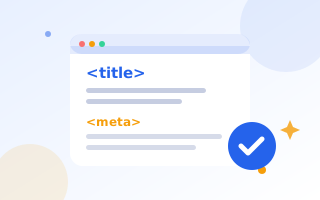
The meta title (the HTML <title> tag) is the clickable blue headline in search results and the text in the browser tab. It is also one of the strongest on-page signals of what a page is about.
The meta description is the short summary under the title. It does not directly affect rankings, but a good one persuades people to click, and more clicks mean more traffic from the same ranking.
How long should they be?
- Title: 50–60 characters. Google cuts titles at roughly 580–600 pixels wide, and wide letters use more space.
- Description: 140–160 characters on desktop. On mobile Google shows a little less, so put the key message in the first 120 characters.
Check both with our Google SERP preview tool, which measures the title in pixels and shows desktop and mobile layouts.
How to write a great meta title
- Lead with the main keyword. Words at the start carry the most weight and are bolded when they match the search.
- Add a reason to click: “Free”, “in 5 minutes”, “2026”, “Step-by-Step”, “No Sign-Up”.
- Add your brand at the end if there is room: “… | ToolMaxo”.
- Make every title unique. Duplicate titles confuse both searchers and search engines.
- Write for people. Avoid lists of keywords and ALL CAPS.
Title formulas that work
- [Keyword] – [Benefit]: “Image Compressor – Shrink Photos by 80% Free”
- How to [Keyword] in [Time/Steps]: “How to Start a Blog in 7 Simple Steps”
- [Number] [Keyword] for [Audience]: “12 Free SEO Tools for Small Businesses”
- [Keyword] in [Location] | [Brand]: “Airport Taxi Manchester | Fixed Fares 24/7”
How to write a great meta description
Think of it as a two-line advert. A strong description:
- Includes the main keyword once, naturally.
- Says exactly what the page offers.
- Gives a specific benefit or proof: prices, features, numbers, guarantees.
- Ends with a gentle call to action: “Get a free quote”, “Try it now”, “See the full list”.
Before and after
Before: “Welcome to our website. We offer many services. Contact us today for more information.”
After: “Book a fixed-price airport taxi to Heathrow or Gatwick with free flight tracking and 60 minutes’ waiting. Available 24/7. Get an instant quote.”
The second version is specific, matches what a searcher wants and gives three concrete reasons to click.
Why does Google rewrite my snippet?
Google changes titles and descriptions when they are missing, duplicated, stuffed with keywords, too long or do not match the search. You cannot fully prevent this, but accurate, unique, well-sized snippets are kept far more often. If Google keeps rewriting a title, compare it with your H1: Google often prefers the H1 when the two disagree.
Where to add them
- WordPress: in Rank Math or Yoast, open the snippet editor under each post or page.
- Shopify and Wix: in the “SEO” or “Search engine listing” section of each page and product.
- Custom HTML: generate the tags with our meta tag generator and paste them into the
<head>.
Measure the results
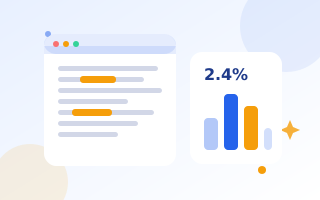
In Google Search Console, open Performance, filter by page and compare click-through rate (CTR) before and after a change. Give it two to four weeks. Pages with many impressions but a low CTR are the best candidates to rewrite first. They already rank, and they just need a better pitch.
Checklist
- Title 50–60 characters, keyword first, unique.
- Description 140–160 characters, specific benefit, call to action.
- Matches the page content and the H1.
- Previewed on desktop and mobile.
- CTR checked in Search Console after a few weeks.