
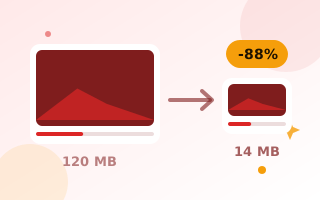
Reduce video size without uploading it
Phone videos are huge: a single minute of 4K can be over 300 MB. That is too big for WhatsApp, email and many upload forms. This video compressor re-encodes your video at a lower bitrate and, if you like, a lower resolution, so the file becomes much smaller. Unlike most online compressors, it works entirely in your browser, so private videos never leave your device.
How to compress a video
- Drop your video onto the box, or click to choose it.
- Pick By quality and a compression level, or switch to Target file size and enter the size you need in MB.
- Choose a resolution. 720p is sharp on phones and keeps files small.
- Click Compress video. The video plays silently in the background while it is re-encoded, so it takes about as long as the clip.
- Compare the sizes, watch the preview and download.
Size limits worth knowing
- WhatsApp sends videos as media up to 16 MB. Larger files have to be sent as documents.
- Gmail attachments are limited to 25 MB.
- Outlook attachments are limited to 20 MB.
Use the Target file size mode to hit these limits. The tool calculates the bitrate for you from the length of the video.
Tips for the best quality
- Lowering the resolution is the most effective way to save space. 1080p to 720p often halves the size with little visible difference on a phone.
- Screen recordings and talking-head videos compress very well. Fast sports or drone footage needs more bitrate.
- If you do not need the sound, untick Keep sound to save a little more.
Output format
Chrome, Edge and Safari save an MP4 file, which plays everywhere. Firefox saves WebM, which plays in all modern browsers and on Android. To turn a short part into an animation, use the video to GIF converter. To keep only the audio, try video to MP3.
Frequently asked questions
Is my video uploaded anywhere?
No. The video is decoded and re-encoded by your own browser. It never leaves your device.
Why does compression take as long as the video?
The tool uses your browser’s built-in video recorder, which works in real time. A 2-minute video takes about 2 minutes. Keep the tab open until it finishes.
Will the quality drop?
Some quality is always traded for size. The Balanced level at 720p looks very close to the original on phones and laptops.
Is there a file size limit?
There is no fixed limit, but very large 4K files need a lot of memory. For long 4K videos, use a desktop computer.
Why did my video not get smaller?
If the original was already heavily compressed, choose a lower resolution or the Strong level, or use a target size.