
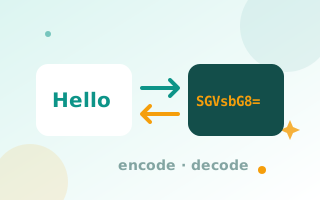
What is Base64?
Base64 is a way to represent any data using only 64 plain text characters (A–Z, a–z, 0–9, + and /). It is used to send binary data through systems that only handle text, such as email attachments, JSON APIs, HTTP Basic authentication headers and data URIs.
How to encode or decode Base64
- Paste plain text or a Base64 string into the input box.
- Click Encode to turn text into Base64, or Decode to turn Base64 back into text.
- Tick URL-safe to use
-and_instead of+and/, as used in JWT tokens and URLs. - Use Swap to move the output back into the input.
Full UTF-8 support
Many simple Base64 tools break on emoji and non-English text such as Urdu, Arabic or Chinese. This tool encodes text as UTF-8 first, so every character is converted correctly and decodes back exactly as it was.
Base64 is not encryption
Anyone can decode Base64, so never use it to hide passwords or sensitive data. It is an encoding, not a security measure. For secure passwords, use the password generator. To embed images in code, use image to Base64, and to encode URLs, use the URL encoder.
Example
Hello, world! encodes to SGVsbG8sIHdvcmxkIQ==. Decoding that string returns the original text.
How Base64 works
Base64 takes every 3 bytes (24 bits) of data and splits them into four 6-bit groups. Each group maps to one of 64 safe characters: A–Z, a–z, 0–9, + and /. If the data does not divide evenly into 3 bytes, = padding is added. That is why Base64 output is about 33% longer than the input.
Where you will meet Base64
- Email attachments (MIME encoding)
- HTTP Basic authentication headers:
Authorization: Basic dXNlcjpwYXNz - JSON Web Tokens (JWT), which use URL-safe Base64
- Data URIs for embedding images, see image to Base64
- API payloads that must carry binary data inside JSON
Decoding a JWT
A JWT has three parts separated by dots. The first two parts, the header and payload, are URL-safe Base64. Paste one part at a time and click Decode to read it. Never paste production tokens into tools that upload data. This tool runs entirely in your browser, so tokens stay on your device.
Troubleshooting
- “Not valid Base64”: check that the string was copied completely and does not include quotes or line breaks from another program.
- Strange characters after decoding: the data may be binary (such as an image or zip file) rather than text.
Frequently asked questions
Is Base64 encryption?
No. Base64 is an encoding that anyone can reverse. Do not use it to protect sensitive information.
What is URL-safe Base64?
A variant that replaces + with - and / with _ and removes = padding, so the result can be used safely in URLs and JWT tokens.
Why does Base64 end with = signs?
The = characters are padding, added so the output length is a multiple of four.
Does it support emoji and non-English text?
Yes. Text is handled as UTF-8, so every language and emoji encodes and decodes correctly.