
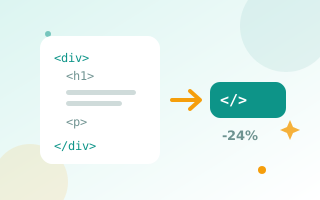
What does an HTML minifier do?
HTML written by people is full of indentation, line breaks and comments that make it readable but add bytes. Browsers do not need any of that. An HTML minifier removes it, so the page downloads faster, especially on mobile connections.
How to minify HTML
- Paste your HTML into the left box.
- Choose whether to remove comments and tidy inline CSS and JavaScript.
- Click Minify HTML. The result and the size saved appear on the right.
- Copy or download the minified file.
What is removed and what is kept
- Removed: HTML comments, indentation, line breaks and extra spaces between tags.
- Kept: conditional comments for old Internet Explorer.
- Kept unchanged: content inside
<pre>and<textarea>, where spacing matters. - Tidied: whitespace inside
<style>and<script>, with line breaks kept in scripts to stay safe.
Minification and page speed
Minifying HTML usually saves 10–25% of the file size. Combined with GZIP or Brotli compression on your server, it helps your First Contentful Paint and overall page speed score. Always keep your original, readable file for editing and minify only the copy you publish. Also try the CSS minifier and the image compressor, as images are usually the biggest files on a page.
Example
Before (182 bytes):
<!-- Main banner -->
<div class="banner">
    <h1>  Free Tools  </h1>
    <p>
        Fast and private.
    </p>
</div>
After (70 bytes):
<div class="banner"><h1> Free Tools </h1><p> Fast and private. </p></div>Why minify HTML?
- Faster downloads, especially for large pages and slow mobile networks.
- Quicker first render: the browser can start painting sooner.
- Lower bandwidth costs on busy sites.
- Smaller email templates: Gmail clips emails larger than about 102 KB.
Minification vs. compression
Minification removes characters the browser does not need. Server compression (GZIP or Brotli) then compresses what is left during transfer. They work best together: minify your files, and make sure your hosting has compression switched on.
Best practice
- Keep your readable source file for editing.
- Minify only the copy you publish.
- Test the page after minifying, especially inline scripts.
- On WordPress, let a caching plugin handle HTML minification automatically.
Also minify your stylesheets with the CSS minifier.
Frequently asked questions
Is it safe to minify HTML?
Yes. The minifier keeps content inside pre and textarea tags unchanged and only removes whitespace that browsers ignore.
How much smaller will my HTML be?
Typically 10–25%, depending on how much indentation and how many comments the original has.
Does minifying HTML help SEO?
Indirectly. Smaller pages load faster, and page speed is part of Google's page experience signals.
Can I minify WordPress HTML with this?
This tool is for code you paste. For a WordPress site, use a caching plugin with HTML minification built in.