
Every attribute Amazon asks for, in one form
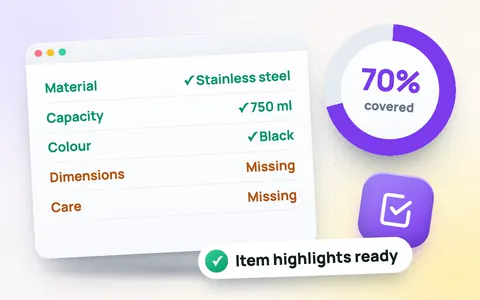
When you create a listing, Seller Central marks many fields as required with a red star: product ID, brand, model number, colour, size, material, dimensions, weight, country of origin, battery and dangerous-goods information, and more. Miss one and the listing is suppressed or shows an error; leave the recommended ones empty and your product disappears from the search filters shoppers use. This tool lists them all, fills in what it finds in your listing and shows exactly what is still missing.
How to use it
- Choose the product category and your marketplace region (Europe adds the GPSR responsible person; UAE and Saudi Arabia suggest Arabic content).
- Paste your listing with the title on the first line. Fields the tool can read, such as brand, colour, material, size, capacity, dimensions, weight, number of items, model number and country of origin, fill themselves.
- Type the rest straight into the form. Required fields are red until filled; Category fields are the filters shoppers use for your product type.
- Download the CSV or copy the table into Excel or Google Sheets, and use it when you fill the listing or the flat file in Seller Central.
Fields that cause the most errors
- Product ID: buy barcodes from GS1 or apply for a GTIN exemption; random barcodes get listings removed.
- Package dimensions and weight: they set your FBA fee. Measure the boxed product, then check the fee with the FBA calculator.
- Batteries and dangerous goods: wrong answers block FBA shipments. Say “No” and “Not applicable” only when it is true.
- Title: keep it within 75 characters with the Amazon character counter.
The exact required list depends on your product type, so always follow the red stars in Seller Central. See all Amazon seller tools.
Frequently asked questions
Which attributes are required on Amazon?
Almost every product type needs a product ID (or GTIN exemption), title, brand, product type, item type keyword, manufacturer, model and part number, colour, size, material, number of items, package quantity, bullets, description, item and package dimensions and weight, country of origin, battery and dangerous goods information, condition, price, quantity and a main image. Seller Central shows the exact list for your product type.
Does the tool fill the fields automatically?
Yes. It reads your title and bullets and fills what it finds, such as brand, colour, material, size, capacity, dimensions, weight, number of items, model number and country of origin. You type the rest.
What is a GTIN exemption?
If your own brand has no barcodes, you can ask Amazon for a GTIN exemption and list without a UPC or EAN.
What is the GPSR responsible person?
For the EU and UK, products need the name and address of a responsible person in that market, plus the manufacturer’s contact details.
Can I export the attributes?
Yes. Download a CSV or copy the table straight into Excel or Google Sheets.
Is it free?
Yes, the listing attributes tool is free with no sign-up, and your listing never leaves your browser.