
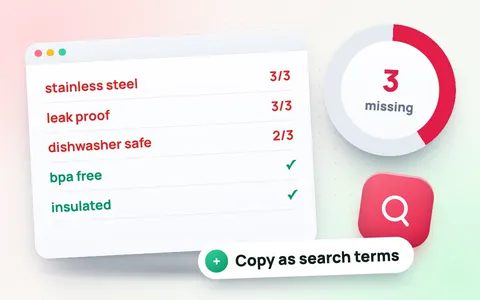
Real Amazon keywords, ranked by priority
This tool starts from what shoppers actually type into Amazon’s search box. For your main keyword it collects Amazon’s own search suggestions, including the long-tail phrases you see when you type “water bottle a”, “water bottle b” and so on, and gives each one a popularity score from 0 to 100: the higher and more often Amazon suggests a phrase, the more it is searched.
How to use it
- Type your main keyword, choose the marketplace and tap Find keywords.
- Paste your listing. Each keyword is marked Exact phrase, Indexed (every word is somewhere in your listing, so Amazon already shows you for that search) or Missing.
- Optionally paste 1–3 competitor listings. Keywords whose words appear in real listings get High relevance; unrelated searches (accessories, other products) drop to Low.
- Competitor brands (the first word of each competitor title) are left out automatically; add any other brands or unrelated words to Words to ignore.
- Work through the High priority keywords first: popular, relevant and missing from your listing.
How priority is worked out
- Popularity (0–100): how high and how often Amazon suggests the phrase.
- Relevance: whether the extra words of the phrase describe products like yours, judged from your listing and competitors’.
- Your listing: Amazon matches words, not exact phrases, so a keyword is covered once all its words appear anywhere in your title, bullets or search terms.
- Priority: the top quarter of the missing, relevant keywords for your product are High, the next third Medium.
- Competitors: phrases that more top sellers use get a small boost.
Popularity is a relative score, not a monthly search count; Amazon does not publish search volumes. Paid tools estimate volumes from their own data, but the order of keywords is usually the same.
Where to put the keywords
Put the top phrase in your title (keep it within 75 characters with the Amazon character counter), the next ones in bullets and item highlights, and tap Copy missing as search terms for the rest, trimmed to 249 bytes. Never use competitor brand names. Check the remaining required fields with the listing attributes tool, and see all Amazon seller tools.
Frequently asked questions
Where do the keywords come from?
From Amazon’s own search box suggestions for your main keyword and its long-tail variations, which reflect what shoppers actually search for.
Does it show search volume?
It shows a popularity score from 0 to 100 based on how high and how often Amazon suggests each phrase. Amazon does not publish monthly search volumes, so no free tool can show official numbers.
What does High priority mean?
A High priority keyword is popular, relevant to your product and missing from your listing, so adding it is likely to bring the most new searches.
Why should I paste competitor listings?
They let the tool judge relevance: phrases whose words appear in real listings for your product type are kept high, unrelated searches drop to low.
Can I use competitor brand names?
No. Amazon does not allow other brands’ names in your listing or search terms. Add them to Words to ignore.
Is the Amazon keyword tool free?
Yes, it is free with no sign-up, for Amazon US, UK, Germany, France, Italy, Spain, Canada, Japan, Australia, Mexico, UAE and Saudi Arabia.