
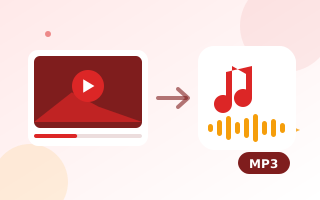
Extract audio from a video
Sometimes you only need the sound: a lecture you recorded, a speech from a family event, a podcast you filmed, or music you played yourself. This converter extracts the audio track from a video file and saves it as an MP3 or WAV file. It works entirely in your browser, so your recordings stay private.
How to convert video to MP3
- Drop your video onto the box, or click to choose it. MP4, MOV, WebM and M4A files work.
- Choose MP3 and a quality, or WAV for lossless audio.
- Optionally set a start and end time to keep only part of the sound.
- Click Extract audio, listen to the result and download it.
Which MP3 quality should I choose?
- 96 kbps – speech, lectures and voice notes. About 0.7 MB per minute.
- 128 kbps – the classic standard for podcasts and general listening. About 1 MB per minute.
- 192 kbps – high quality for music. About 1.4 MB per minute.
- 320 kbps – the highest MP3 quality. About 2.4 MB per minute.
Choosing Mono halves the size and is perfect for a single voice.
MP3 or WAV?
MP3 is compressed and plays on every phone, car stereo and app. WAV is uncompressed and keeps every detail, which is useful if you will edit the audio further in an editor such as Audacity. WAV files are about ten times larger.
Use it for your own content
Only extract audio from videos you made or have permission to use. Music and films are protected by copyright. This tool works with files on your device and does not download anything from YouTube or other sites. To make the video itself smaller, use the video compressor.
Frequently asked questions
Is my video uploaded?
No. The audio is decoded and encoded to MP3 inside your browser. The file never leaves your device.
Can I convert a YouTube link to MP3?
No. This tool works with video files on your own device. Downloading audio from YouTube is against its terms of service.
Why does it say no sound track was found?
The video may have no audio, or it uses a codec your browser cannot decode. Try converting the video to MP4 first, or open it in Chrome.
How long can the video be?
There is no fixed limit. Very long videos, over about an hour, need a lot of memory and work best on a computer.
Can I cut part of the audio?
Yes. Enter a start and end time in seconds before you click Extract audio.