
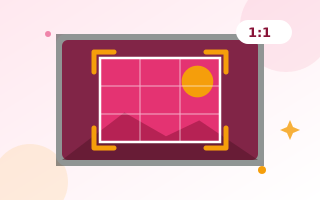
Crop images in seconds
Cropping removes what you do not need and puts the focus on what matters. This image cropper lets you drag a crop box over your image, or lock it to a popular shape such as a square for Instagram or 16:9 for YouTube. You can also rotate, flip and make circle crops for profile pictures. It all runs in your browser, so your images stay private.
How to crop an image
- Drop your image onto the box, or click to choose it.
- Pick a ratio, or leave it on Free.
- Drag the box to move it, and drag its corners or edges to resize it. For exact sizes, type the X, Y, width and height in pixels.
- Rotate or flip if needed, choose the format and click Crop & download.
Popular crop ratios
- 1:1 – Instagram square posts, profile pictures and marketplace listings.
- 4:5 – Instagram portrait posts, which take up more of the feed.
- 16:9 – YouTube thumbnails, presentations and website banners.
- 9:16 – Instagram and Facebook Stories, Reels, TikTok and YouTube Shorts.
- 3:1 – wide banners and headers.
Round profile pictures
Tick Circle crop to cut a perfect circle with a transparent background. It saves as PNG, ready for WhatsApp, Discord, forums or a website “About” page.
Cropping keeps full quality
The tool uses the original pixels of your image, so the cropped area is as sharp as the original. Once cropped, you can set an exact size with the image resizer, make the file smaller with the image compressor, or cut out the subject with the background remover.
Frequently asked questions
Is my image uploaded?
No. Cropping happens in your browser, so the image never leaves your device.
Does cropping reduce quality?
No. The cropped area keeps the original pixels. Choose PNG for no quality loss at all, or JPG/WebP for smaller files.
How do I crop a picture into a circle?
Tick Circle crop. The box locks to a square and the download is a round PNG with a transparent background.
Can I crop to an exact size in pixels?
Yes. Type the width and height in pixels. With a ratio selected, the other side updates automatically.
Does it work on phones?
Yes. Drag the box and its handles with your finger.