How to Remove the Background From a Photo on Your Phone (Free)
Removing the background from a photo used to mean a laptop, Photoshop and a lot of patience. Today you can do it on your phone in under a minute, for free, without installing an app. This guide shows you how to cut out a person, a pet or a product on Android or iPhone, how to get clean edges, and what to do if something does not work the first time.
What you need
- A phone with an up-to-date browser: Chrome on Android, or Safari or Chrome on iPhone.
- The photo you want to edit, saved in your gallery.
- An internet connection for the first use. The AI model is downloaded once (about 44 MB) and then stays in your browser, so Wi-Fi is a good idea the first time.
That is it. There is no account, no watermark and no limit on how many photos you edit.
Step by step on Android or iPhone
- Open the free Background Remover in your phone’s browser.
- Tap Drop a photo here or click to browse and choose your photo from the gallery.
- Wait while the AI loads and works. The first photo takes longer because the model is downloading; the next ones are much faster.
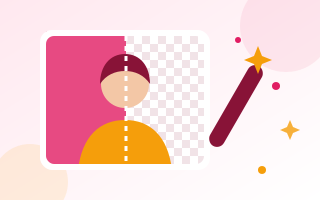
- Check the result under Background removed. The chequered pattern shows the areas that are now transparent.
- Pick a New background if you want one: transparent, white, black or any custom colour.
- Tap Download image. On Android the file goes to your Downloads folder. On iPhone, open the download and choose Save to Photos, or keep it in the Files app.
Which AI model should you choose?
The tool offers three models. You rarely need to change the default, but it helps to know what each one does.
- Standard (44 MB) is the default. It works on almost any photo: people, pets, cars, food and products. It stays accurate even when the background has colours close to the subject, such as a pink wall behind skin.
- HD (115 MB) gives sharper edges around hair and fine detail. It needs a browser with WebGPU, which usually means Chrome or Edge on a computer. If your device cannot run it, the tool switches back to Standard by itself.
- Lite (6 MB) is a small model for phones with little free memory. The tool switches to it automatically when Standard cannot run. It is made for photos of people and is less accurate than Standard, so Standard is the better choice whenever it works.
Not happy with a result? Tap Try the other model and compare the two.
Tips for clean edges
AI background removal is good, but the photo you start with still matters. These habits make the biggest difference:
- Contrast helps. A dark shirt against a light wall, or a light product on a dark table, is easier to separate than similar colours.
- Use even light. Harsh shadows on the floor or wall can be mistaken for part of the subject. Daylight from a window works well.
- Keep the subject whole and in focus. Cut-off hands or blurry edges lead to ragged outlines.
- Give hair some space. Loose hair in front of a busy background is the hardest case for any tool. A plainer background, or the HD model on a computer, gives the best result.
- Start with the original photo. Screenshots of photos and images saved from chat apps are often heavily compressed, which blurs the edges.
Transparent PNG or white background?
Choose based on where the image is going:
- Transparent PNG is best for logos, stickers, thumbnails and designs where you will place the subject on top of something else. PNG is the format that keeps transparency.
- White background (JPG) is best for product listings on marketplaces, CV photos and documents. JPG files are smaller and accepted everywhere.
- A brand colour works well for profile pictures and social media, so all your images look consistent.
Not sure which format to use elsewhere? Our guide to JPG vs PNG vs WebP explains the differences.
What to do with your cut-out
- Profile picture: put the subject on a colour, then use Crop Image into a Circle for a round avatar.
- Instagram post: fit it to a square or portrait post with Resize Image for Instagram.
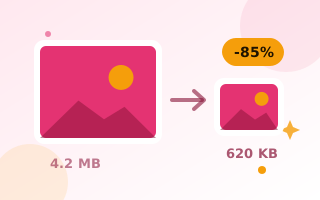
- Online forms: many forms need a small file, for example under 50 KB. Compress Image to 50KB gets you there without guesswork.
- Website or shop: run product photos through the Image Compressor so your pages load quickly.
A note on official photos: passport and visa offices often have strict rules about backgrounds and may not accept edited photos. Check the requirements of the office you are applying to before you use a cut-out.
If something goes wrong
“Your browser could not open this photo”
This usually means an iPhone HEIC photo. Take a screenshot of the photo and use the screenshot instead, or switch future photos to JPG with Settings → Camera → Formats → Most Compatible.
It is slow the first time
The AI model is downloading. After that it is stored in your browser, and the next photos are processed without downloading it again.
“Standard needs more memory than this device has”
Your phone did not have enough free memory, so the tool used Lite instead. Close other tabs and apps, then try Standard again for the most accurate result.
“Could not download the AI model”
Check your connection. If you use an ad blocker or a private DNS, allow huggingface.co and cdn.jsdelivr.net, which host the model files.
Still stuck? Tell us what happened and mention your phone and browser. We read every report.
Is it private?
Yes. The AI runs inside your browser, on your own phone. Your photo is never uploaded to a server, so it is a safer choice for personal photos than apps that send your pictures to the cloud. Once the model is downloaded, it also works well on slow connections.
Frequently asked questions
Do I need to install an app?
No. Everything works in the browser you already have on your phone.
Is it really free?
Yes. There is no sign-up, no watermark and no limit on the number of photos.
Does it work on products and pets, not just people?
Yes, with the Standard or HD model. The Lite model is designed for people.
Why is my downloaded photo smaller than the original?
Very large photos are scaled to about 16 megapixels so they work on every phone. That is still plenty for social media, websites and prints at normal sizes.