
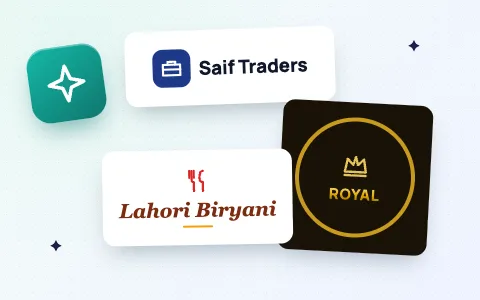
How to make a logo for free
- Type your brand or business name. Add a slogan if you want one under the name.
- In What kind of logo do you want? describe it in a few words, for example corporate, restaurant, 3D tech, gold luxury, neon gaming, calligraphy or vintage badge. You can leave it empty too.
- Look at the 12 designs and tap the one you like. Tap More designs for new layouts, fonts and colours. Then change the font or colours of the one you picked if you like.
- Choose a background: Transparent for a logo you can place on anything, or white, light or dark.
- Choose Fit to logo for websites, visiting cards and letterheads, or Square for a profile picture, then tap Download logo. You get a sharp PNG with no watermark.
What the “kind of logo” box understands
The words you type choose the icon, colours and style. The tool recognises business types and style words in English and common Roman Urdu:
- Business types: corporate, consulting, tech, software, restaurant, food, biryani, cafe, chai, shop, store, boutique, real estate, construction, travel, gym, photography, school, academy, car, music, finance, pet, law, delivery, Islamic, masjid, madrasa, clinic, pharmacy, gaming, salon, beauty, jewellery, cleaning and more.
- Styles: 3D or 4D for raised letters, gold or luxury for gold lettering, neon for a glow, minimal for a clean look, calligraphy or elegant for flowing italic letters, badge or vintage for round emblems, monogram for initials.
Your brand name is always written exactly as you typed it, so the spelling is never wrong.
Tips for a good logo
- Keep the name short. One or two words read best on signs, cards and small profile pictures.
- Test it small. Your logo should still be clear as a WhatsApp or Facebook profile picture.
- Use the transparent PNG on photos, products and your website. Shrink the file with the image compressor if a form needs a small size.
- Need your name as a big 3D picture? Try the 3D name maker. Need fancy text you can copy? Use the stylish name generator.
Can I use the logo for my business?
Yes. The designs are made from our own icons and shapes and free open-source fonts (Google Fonts, free for commercial use), and the download is yours to use on signs, social media, packaging and websites. Because the tool builds logos from a shared set of shapes, other businesses may end up with a similar design, so for a registered trademark ask a designer to make something unique.
Is it private?
Yes. Logos are drawn in your browser. Your business name is not uploaded or saved.
Frequently asked questions
Is this logo maker really free?
Yes. You can make and download as many logos as you like, free, with no sign-up and no watermark.
How do I make a logo with my business name?
Type your business name, optionally describe the kind of logo you want, pick one of the 12 designs, change the font or colours if you like, and tap Download logo. You get a high-resolution PNG.
Can I download a logo with a transparent background?
Yes. Choose Transparent as the background before downloading and the PNG has no background, ready to put on photos, products or your website.
Can it make 3D, gold or calligraphy logos?
Yes. Type 3D, gold, neon or calligraphy in the “What kind of logo” box and the designs change to that style.
Does it use AI?
No. The logos are built from our own icons, shapes, colour sets and 18 professional fonts, so they are instant, free and always spell your name correctly.
Can I write my logo in Urdu?
Yes. Type your name in Urdu or Arabic and the designs use proper Urdu and Arabic calligraphy fonts (Ruqaa, Kufi and Naskh styles).