
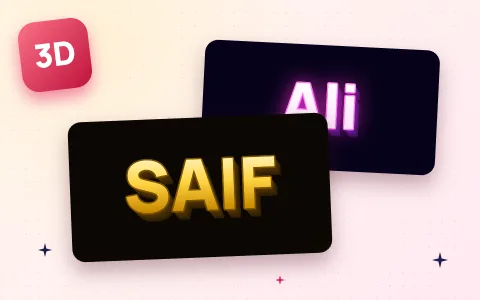
How to make a 3D name image
- Type your name in the box. Up to two words fit nicely; longer names go onto two lines.
- Pick a 3D style: Gold, Neon, Fire, Chrome, Pink, Ocean, Gamer or Rainbow. The preview updates at once.
- Choose a size: Square for a WhatsApp or Instagram DP, Tall for a phone wallpaper or Story, Wide for YouTube or a desktop background.
- Add an optional small line under your name, for example a city, “Gamer” or a date.
- Tap Download image. You get a sharp PNG with no watermark.
Where to use your 3D name
- WhatsApp and Instagram DP: use the Square size. If the app crops it to a circle, keep the name short so it stays inside.
- Phone wallpaper: use the Tall size and set it from your gallery.
- Instagram and WhatsApp Story: the Tall size fits 9:16 Stories exactly.
- YouTube channel art or a desktop background: use the Wide size.
- Logos, stickers and thumbnails: choose Transparent background to get a PNG you can put on any photo, for example with the YouTube thumbnail resizer.
Tips for a great 3D name
- Short names look boldest. One word fills the image with big, thick letters.
- Dark styles for night, light styles for day. Neon, Fire and Gamer glow on dark backgrounds; Pink and Ocean look fresh as light wallpapers.
- Want the name as text, not a picture? Use the stylish name generator to copy fancy fonts for Free Fire, Instagram and TikTok.
- Need a smaller file? Shrink the PNG with the image compressor before you upload it to a form or website.
Is it private?
Yes. The image is drawn in your browser on your own phone or computer. Your name is not uploaded or saved anywhere.
Frequently asked questions
How do I make my name in 3D?
Type your name above, choose a 3D style such as Gold, Neon or Fire, pick a size and tap Download image. You get a PNG of your name in 3D in a few seconds.
Is the 3D name maker free?
Yes. It is completely free, with no sign-up and no watermark on your image.
Can I make a 3D name wallpaper for my phone?
Yes. Choose the Tall 1080×1920 size and download the image, then set it as your wallpaper from your gallery.
Can I get my 3D name with a transparent background?
Yes. Set Background to Transparent and the download is a PNG with no background, ready to place on a photo or thumbnail.
Does it work with Urdu or Hindi names?
Yes, you can type a name in any language. The 3D effect looks best with English letters, because the bold font is made for them; other scripts use your phone’s own font.
Is my name uploaded anywhere?
No. The image is created in your browser and nothing is uploaded or stored.